

How is a refill triggered?
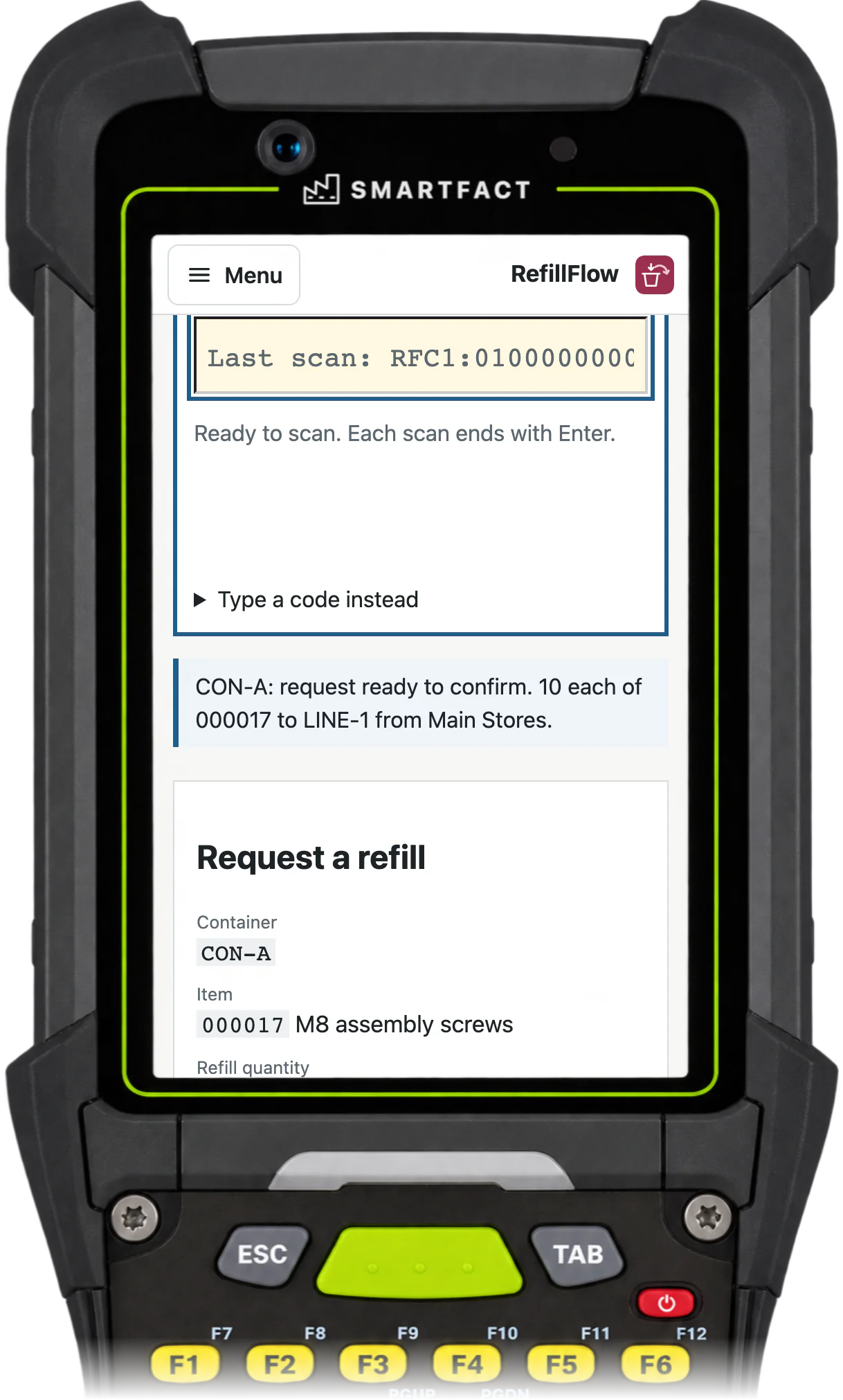
Each reusable container carries a permanent barcode card for its item, refill quantity and line location. When the container runs empty, the operator scans its card. The station shows the item, the quantity, where it goes and which stores supplies it.
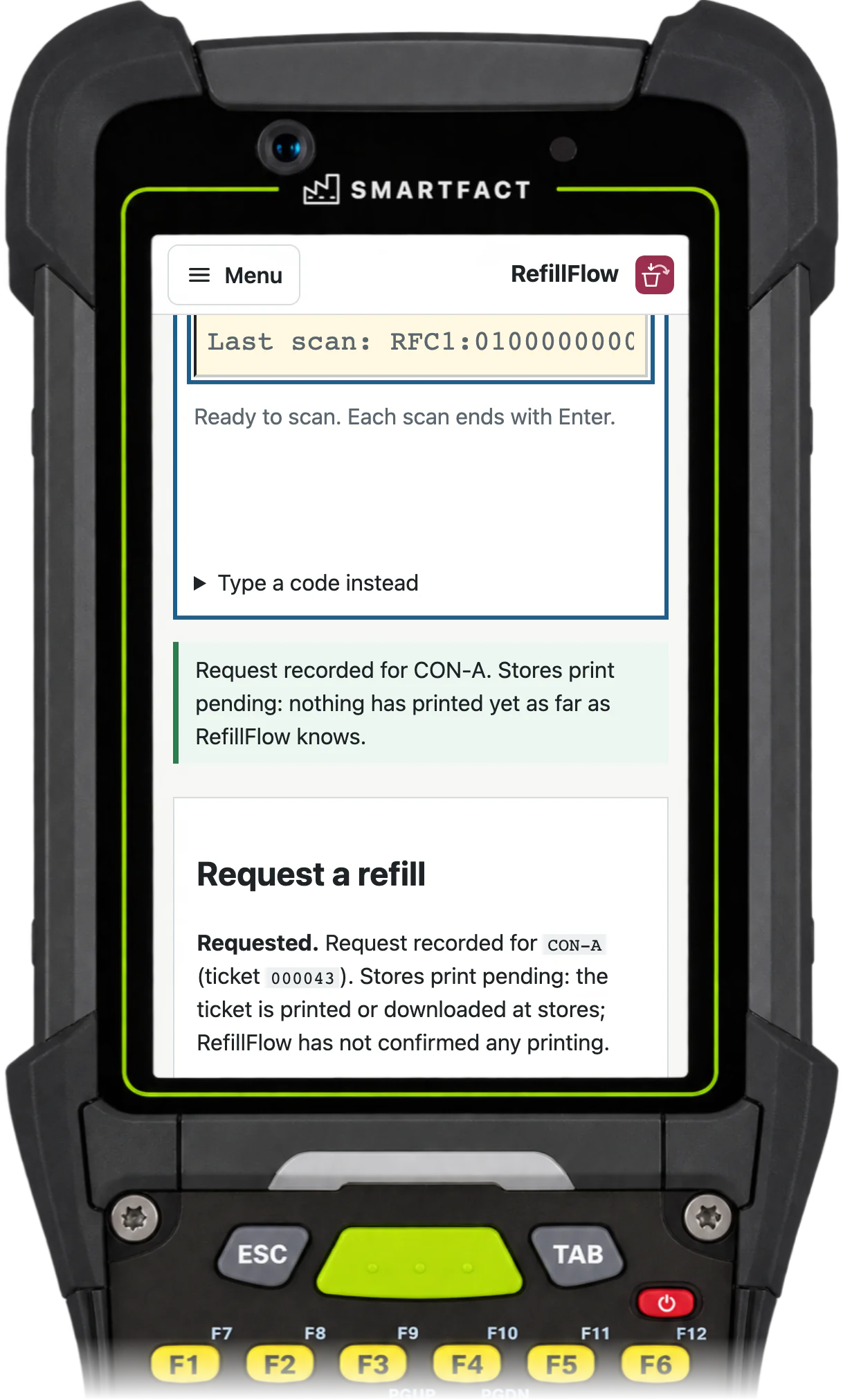
The scan prepares the request; it does not send it. The operator checks the details and confirms, and only then does RefillFlow record one refill request and its ticket. Scanning the same container again shows the request already open instead of creating another.
Where does the request go?
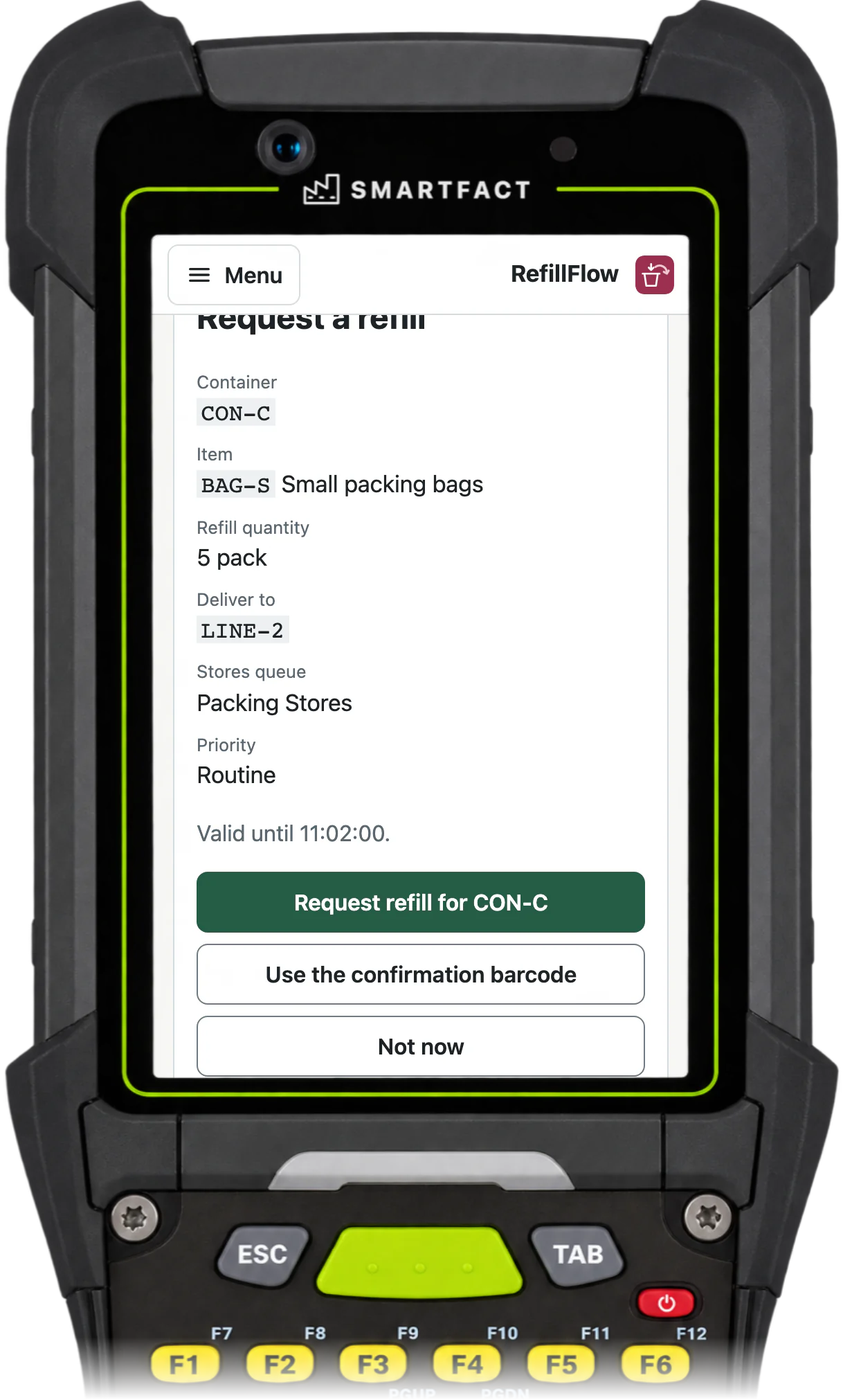
Approved routing rules choose the stores queue for every request, with its priority, due time, ticket printer and escalation. Your team describes a rule in plain English, such as “packaging going to Line 2 goes to Packing Stores”, checks it against example requests and approves it.
On the floor, RefillFlow applies the rule as approved, without calling an AI model. The operator does not choose a queue, and a rule cannot change the item, quantity or destination.
What does stores see?
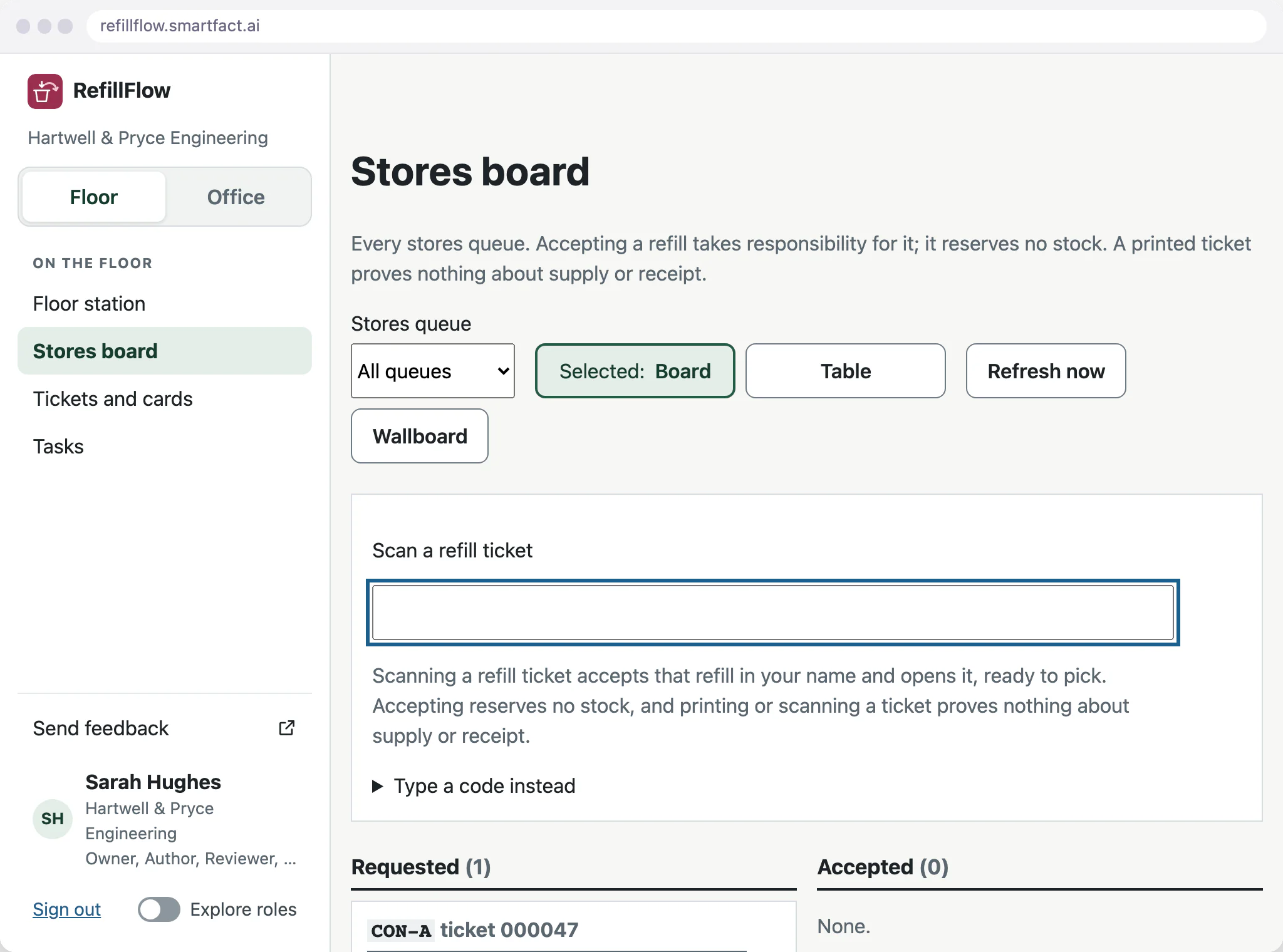
The refill ticket prints on the stores printer through SmartFACT PrintStation, and the request appears on the stores board with its age, due time and priority. Scanning the ticket accepts the refill in that person’s name and opens it, ready to pick.
Each pick is checked against the exact item code, so a wrong item is refused, and the dispatch is recorded with its own ticket. Accepting a request reserves no stock, and a printed ticket is not counted as a pick or a delivery.
How is the loop closed?
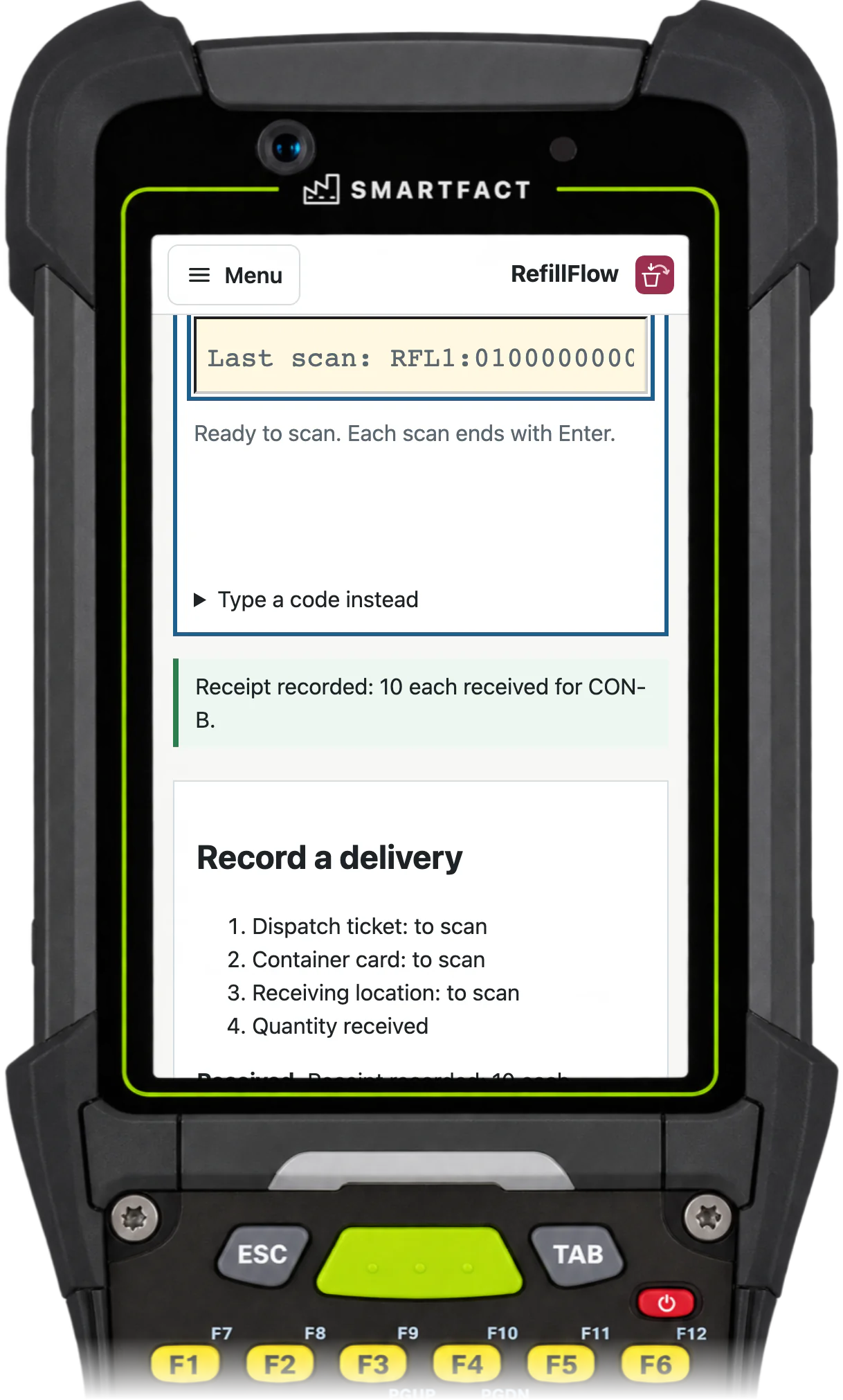
At the line, the operator chooses Receive and scans the dispatch ticket, the container card and the receiving location card. The station asks for a quantity only when all three match, and the operator enters what actually arrived.
When the full refill quantity is received, the request is complete and the container is ready for its next cycle. A delivery scanned at the wrong location, or a quantity above what is in transit, is refused and nothing is recorded.
What if only part arrives?
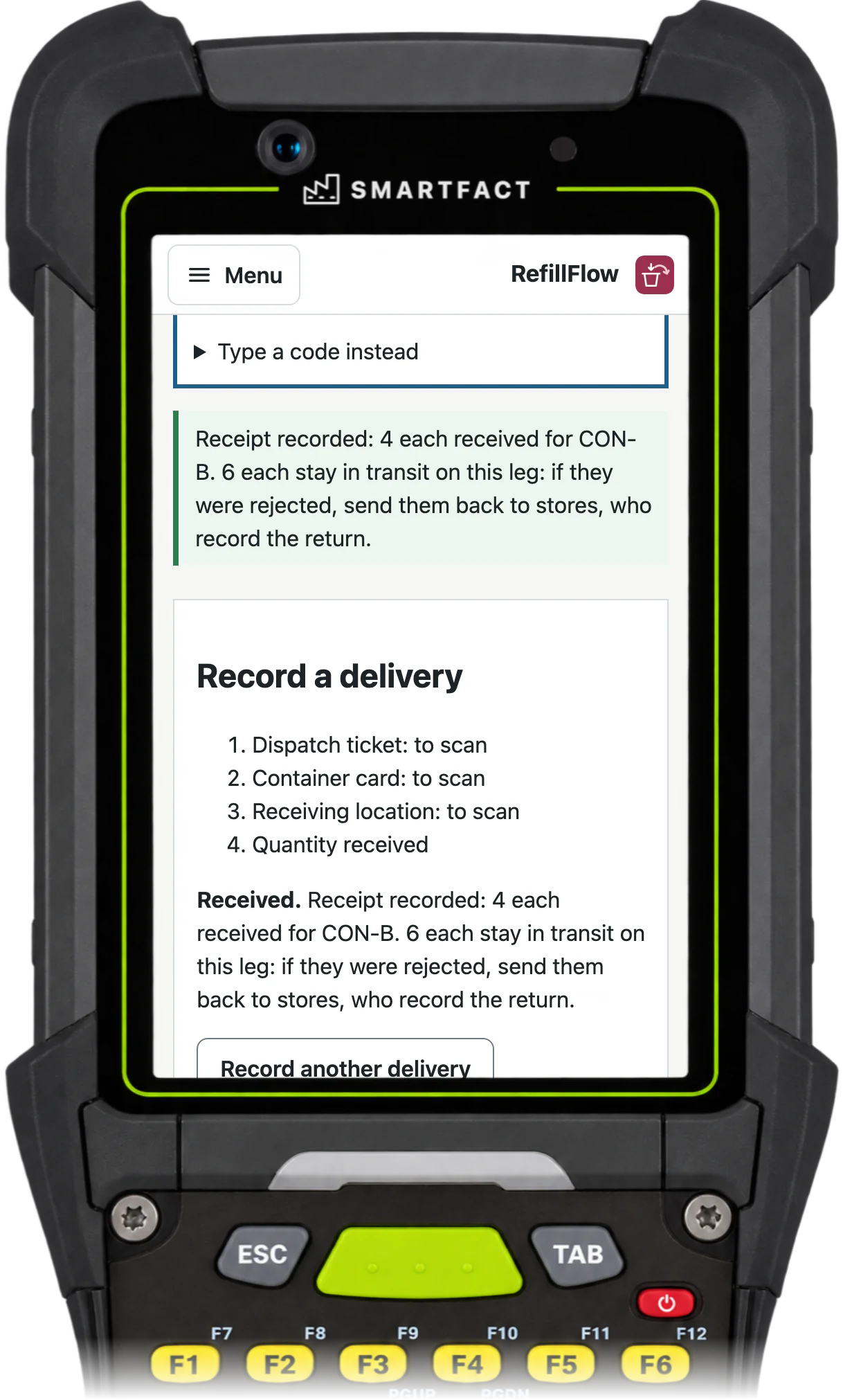
The operator records only what arrived. The rest stays in transit on that delivery, visible at the line and on the stores board. Rejected material goes back to stores and is recorded as returned; then stores sends a replacement, or a supervisor closes the request short with the actual amount recorded.
What RefillFlow does not do
- Stock levels, reservations or valuation. RefillFlow records refill requests and deliveries; your stock levels stay in your ERP or stock system.
- Production or supplier kanban. RefillFlow runs the withdrawal loop from your stores to your own line.
- Purchasing, supplier orders or deliveries from outside suppliers.
- Sensors, RFID or e-paper labels. The signal is a scan of the container’s barcode card.
- Syncing requests or deliveries with an ERP.
Common questions
What is e-Kanban?
E-kanban is the electronic form of a kanban card: scanning an empty container sends the refill signal to stores straight away, instead of a paper card carried there by hand. Our page “What is an e-kanban system?” covers it in full.
How does the kanban system work?
Each item has a fixed loop of containers or cards. Material is used from a container where it is needed; when the container is empty, it or its card goes back as the signal to refill it, and the refilled container returns to the same place. Only emptied containers are refilled, so the line holds no more than the loop allows.
What are the three types of kanban?
Kanban is usually described as withdrawal kanban, which moves material from stores to where it is used; production kanban, which signals that more must be made; and supplier kanban, which orders from an outside supplier. RefillFlow runs the withdrawal loop, from your stores to your line.
Operators walk to the stores to ask for parts: can they ask RefillFlow for a refill from the line?
Yes. With RefillFlow the operator scans the empty container’s card at the line and confirms, and the request appears on the stores board, oldest first, with its age, due time, priority and who accepted it. Each stores queue prints its tickets through SmartFACT PrintStation, either unattended at a checked printer or when someone chooses Print, and a signed-in wallboard shows the open requests.
Start free at one station and pay when you grow. While SmartFACT is in early access, we set your first workflow up with you.


